For short-term rental hosts
See the room furnished before you buy a single chair.
Furnishing a rental is expensive and slow. RenderRoom shows what an empty room looks like in six styles, from one photo, so you can pick a direction before you spend anything.
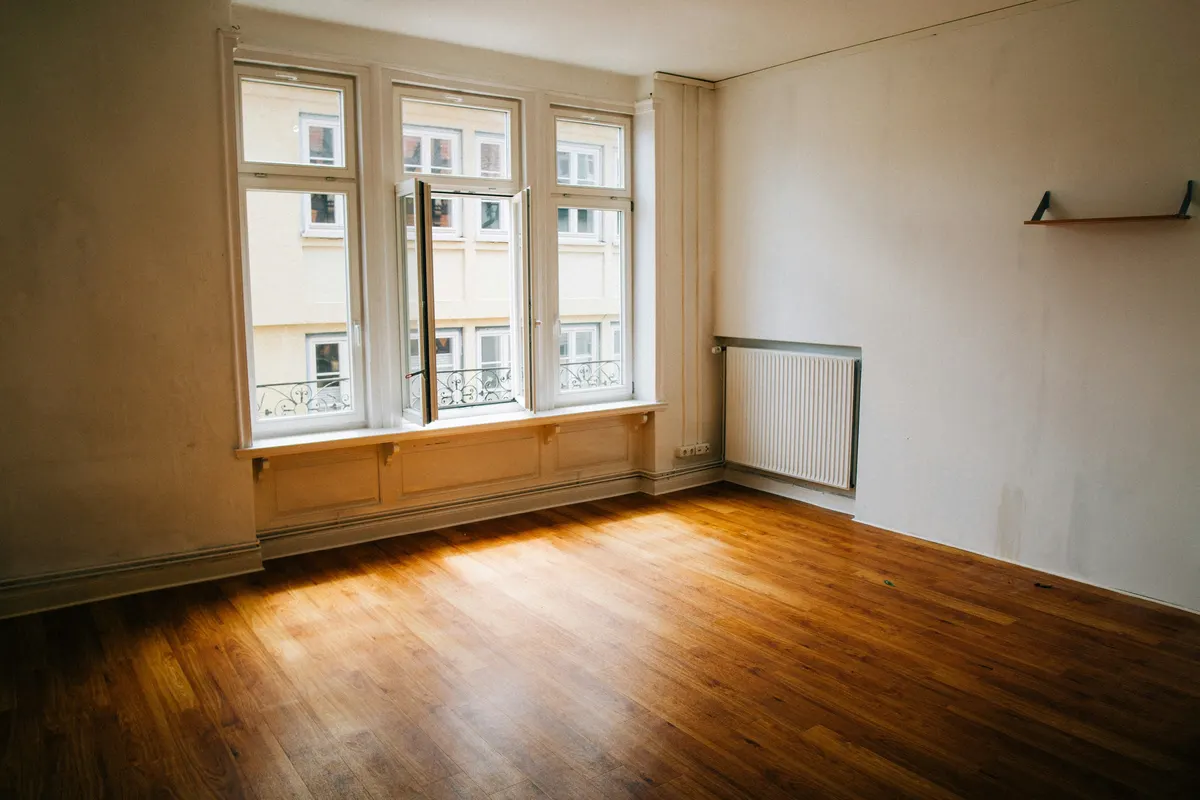
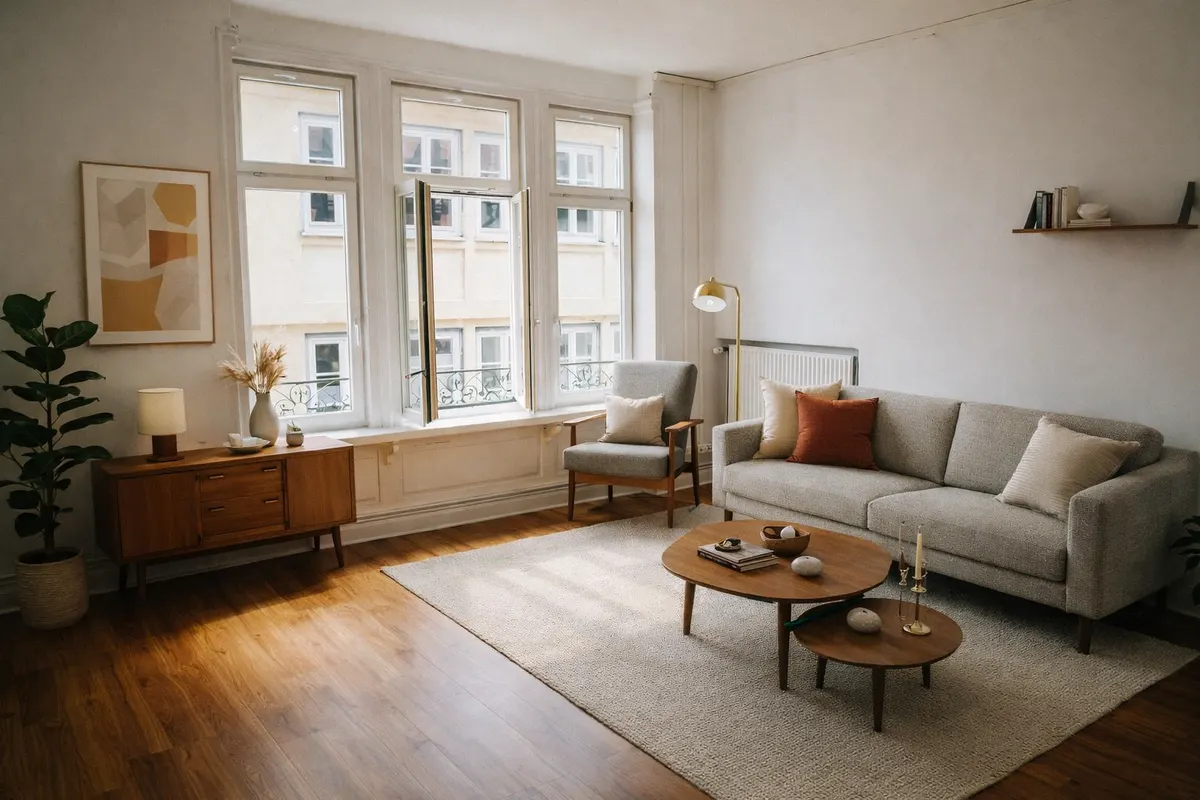
Your render is an AI image based on your own photo: check it before you use it.
Compare styles before you buy
Render the same room in Scandinavian, Japandi or Coastal and choose with your co-host.
About a minute per room
Upload a photo of the empty room, pick a style, compare before and after.
Honest listing photos
Guests must find what the photos show. Use staged images to plan, or label them clearly until the room is furnished.
One free render a day
Then credit packs that never expire, no subscription.
Six styles to choose from
- Scandinavianlight wood, white, soft textiles
- Japandilow furniture, natural tones, calm
- Mid-century modernwalnut, tapered legs, mustard
- Industrialmetal, leather, exposed materials
- Coastallinen, blues, light and airy
- Minimalistfew pieces, clean lines
Questions
Can I put a staged photo in my listing?
Only if it matches what guests will find. Use staging to plan the furnishing, then shoot the real room once it's ready. If you show a staged image before that, label it “Virtually staged”.
Which style suits a rental?
Scandinavian and Coastal photograph bright and welcoming; Japandi feels calm and premium. Try several on the same photo.
What happens to my photos?
They're stored privately in your account, checked by an automated safety filter before processing, and you can delete them anytime.